
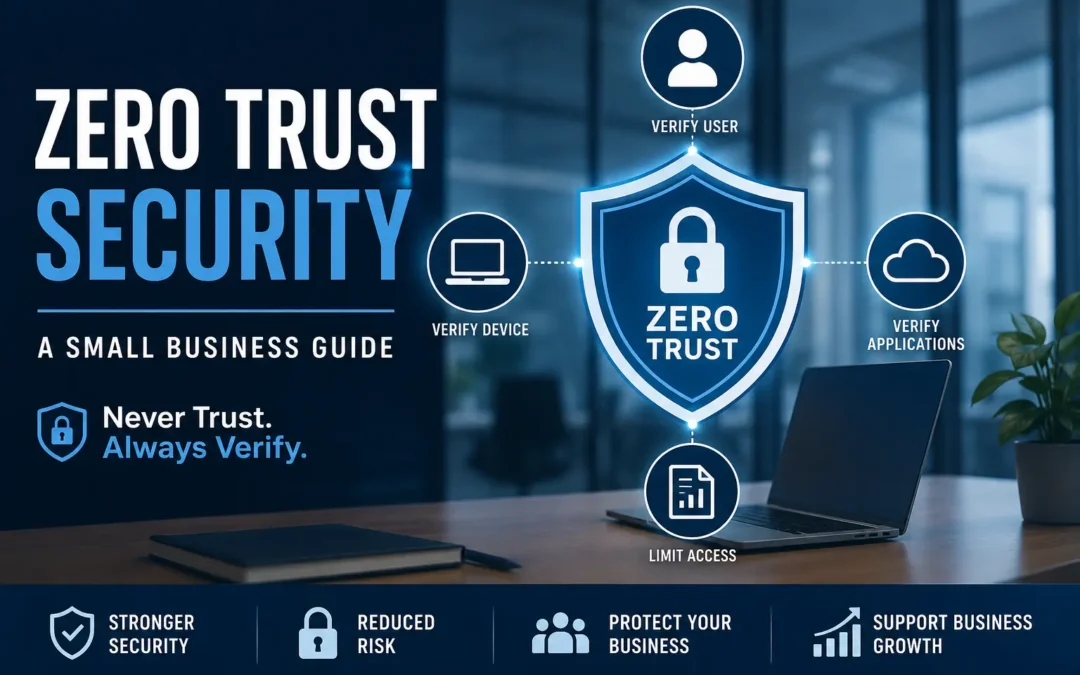
What Is Zero Trust Security? A Small Business Guide
For years, business cybersecurity operated on a simple assumption: if a user or device was inside the company's network, it could generally be trusted.
That approach worked reasonably well when employees worked in a single office, applications were hosted on local servers, and business data rarely left the building.
Today's business environment is completely different.
Employees work remotely. Applications live in the cloud. Business email is accessible from anywhere. Mobile devices connect to company resources from coffee shops, hotels, and home offices. At the same time, cybercriminals have become increasingly sophisticated, often targeting user accounts rather than network infrastructure.
As a result, organizations are moving away from traditional "trust but verify" security models and adopting a new approach known as Zero Trust Security.
The core principle is simple:
Never trust. Always verify.
Instead of automatically trusting users, devices, or applications because they are inside a network, Zero Trust requires continuous verification before access is granted.
For small businesses, Zero Trust may sound like an enterprise-only security framework, but many of its principles are already available through tools such as Microsoft 365, multi-factor authentication, endpoint protection, and modern identity management systems.
Want to see more content like this? Add us as a Preferred Source on Google to see more of our articles when you search.
What Is Zero Trust Security?
Zero Trust Security is a cybersecurity framework that assumes no user, device, application, or network connection should be automatically trusted.
Every request for access must be verified, regardless of where it originates.
Whether an employee is:
- Working from the office
- Working remotely
- Using a company laptop
- Using a mobile device
- Accessing cloud applications
The system requires verification before granting access.
Instead of asking:
"Is this user inside the network?"
Zero Trust asks:
"Can we verify who this user is, what device they are using, and whether they should have access to this resource right now?"
This shift significantly reduces the likelihood of unauthorized access and limits the damage if an account becomes compromised.
Why Traditional Security Models Are Struggling
Historically, businesses protected themselves using a perimeter-based security model.
Think of it like a castle surrounded by walls.
The firewall acted as the wall, and once someone entered the network, they often had broad access to resources.
The problem is that modern attackers rarely break through the wall directly.
Instead, they steal credentials.
If a cybercriminal successfully compromises an employee's email account, they may gain access using legitimate credentials. From the system's perspective, the login appears valid.
This is one reason phishing attacks remain one of the most successful attack methods today.
If you're interested in how these attacks continue to evolve, read our article:
AI-Powered Phishing Attacks in 2026: Why They're Harder to Detect Than Ever
Zero Trust helps mitigate this risk by requiring additional verification even after credentials have been entered.
The Three Core Principles of Zero Trust
While implementations vary, most Zero Trust strategies are built around three fundamental concepts.
1. Verify Explicitly
Every access request should be validated using available information.
This may include:
- Username and password
- Multi-factor authentication
- Device health
- Location
- User behavior
- Risk indicators
The goal is to ensure that access is granted only when the request appears legitimate.
2. Use Least Privilege Access
Employees should only have access to the systems and information necessary to perform their jobs.
For example:
- Accounting staff do not need access to HR records.
- Sales staff do not need access to server administration tools.
- Temporary contractors should not have permanent access to sensitive systems.
Limiting access reduces risk and minimizes the impact of compromised accounts.
3. Assume Breach
Zero Trust operates under the assumption that a compromise may already exist somewhere within the environment.
Rather than focusing solely on preventing attacks, organizations design systems to contain and limit damage when incidents occur.
This mindset helps businesses respond more effectively to modern cyber threats.
What Does Zero Trust Look Like in Practice?
Many small business owners are surprised to learn that they may already be using some Zero Trust controls.
Examples include:
Multi-Factor Authentication (MFA)
After entering a password, users must complete an additional verification step.
Common examples include:
- Authentication apps
- Security keys
- Text message codes
- Push notifications
Even if a password is stolen, attackers may be unable to access the account.
Conditional Access Policies
Modern identity systems can evaluate login requests and apply rules automatically.
For example:
- Block sign-ins from foreign countries
- Require MFA for risky logins
- Restrict access from unmanaged devices
- Prevent access from outdated operating systems
Endpoint Protection
Security tools continuously monitor computers for suspicious activity.
If malware is detected, access can be restricted automatically until the device is secured.
Identity-Based Security
Rather than trusting the network itself, organizations focus on validating the identity of users and devices.
Identity has become the new security perimeter.
Why Small Businesses Should Care About Zero Trust
Many small businesses assume cybercriminals only target large enterprises.
Unfortunately, the data suggests otherwise.
Small businesses continue to experience phishing attacks, ransomware incidents, credential theft, and business email compromise scams.
Attackers often view smaller organizations as easier targets because they may lack dedicated security teams or advanced protections.
Zero Trust helps address several common risks:
Reduced Risk of Credential Theft
Compromised passwords remain one of the most common causes of security incidents.
Additional verification layers make stolen credentials far less valuable.
Better Protection for Remote Workers
Remote and hybrid work environments introduce additional risks.
Zero Trust enables secure access regardless of location.
Improved Compliance
Many compliance frameworks encourage or require controls that align closely with Zero Trust principles.
Examples may include:
- HIPAA
- PCI DSS
- SOC 2
- NIST frameworks
Limited Attack Spread
If an account becomes compromised, attackers encounter additional barriers when attempting to move through the environment.
This containment can significantly reduce the impact of a breach.
Common Zero Trust Components
Businesses implementing Zero Trust often focus on several key technologies.
Identity and Access Management
Identity systems control authentication and authorization.
Examples include:
- Microsoft Entra ID
- Okta
- Google Identity
Multi-Factor Authentication
MFA remains one of the most effective security controls available.
Many successful attacks could be prevented through proper MFA deployment.
Device Management
Businesses need visibility into the devices accessing company resources.
This often includes:
- Device compliance monitoring
- Remote management
- Security policy enforcement
Endpoint Detection and Response (EDR)
EDR solutions monitor endpoints for suspicious activity and help identify threats before they become major incidents.
Security Monitoring
Continuous monitoring helps organizations identify unusual behavior and respond quickly to emerging threats.
Misconceptions About Zero Trust
"Zero Trust Means Trusting Nobody"
Not exactly.
Employees are still trusted to perform their jobs.
The difference is that access requests are verified rather than assumed to be safe.
"Zero Trust Is Only for Large Enterprises"
Many Zero Trust technologies are already included in platforms used by small businesses.
Organizations can adopt Zero Trust principles gradually without large infrastructure investments.
"It's Too Complicated"
The most effective implementations often begin with simple improvements such as:
- Enabling MFA
- Reviewing permissions
- Implementing endpoint protection
- Strengthening identity controls
Small steps can significantly improve security.
How to Begin Implementing Zero Trust
Businesses do not need to overhaul their entire environment overnight.
A practical starting point includes:
Step 1: Enable Multi-Factor Authentication
Prioritize email accounts, administrative accounts, and cloud applications.
Step 2: Review User Permissions
Remove unnecessary administrative privileges and excessive access rights.
Step 3: Secure Endpoints
Ensure computers are monitored, patched, and protected with modern security tools.
Step 4: Monitor Account Activity
Identify unusual login behavior and investigate suspicious events.
Step 5: Establish Security Policies
Create clear policies governing access, devices, passwords, and authentication.
Businesses looking to strengthen their overall security posture may also find value in our guide:
Reduce Your Cyber Risk: 8 Security Essentials for Small Businesses
Many of the recommendations align closely with Zero Trust principles and provide a practical roadmap for improving security.
The Future of Business Security
Cybersecurity threats continue to evolve.
Attackers increasingly target identities, cloud services, and user accounts rather than traditional network infrastructure.
As a result, organizations are moving toward security models that focus on continuous verification, limited access, and proactive monitoring.
Zero Trust is not a single product or software package.
It is a security strategy designed for today's business environment.
By verifying users, protecting devices, limiting access, and assuming compromise is possible, organizations can significantly reduce risk while improving their ability to respond to modern threats.
For many small businesses, adopting even a few Zero Trust principles can provide meaningful security improvements and help build a stronger foundation for future growth.
Frequently Asked Questions
What is Zero Trust Security in simple terms?
Zero Trust Security is a cybersecurity approach that assumes no user, device, or application should be automatically trusted. Every access request must be verified before access is granted.
Is Zero Trust Security only for large companies?
No. Small businesses can implement many Zero Trust principles using tools they may already own, including multi-factor authentication, endpoint protection, and cloud identity management systems.
Does Microsoft 365 support Zero Trust?
Yes. Microsoft 365 includes several technologies that support Zero Trust principles, including multi-factor authentication, conditional access policies, device management, and identity protection features.
What is the biggest benefit of Zero Trust?
One of the biggest benefits is reducing the risk associated with stolen credentials. Even if a password is compromised, additional verification requirements can help prevent unauthorized access.
Is Zero Trust difficult to implement?
Not necessarily. Many organizations begin by enabling MFA, reviewing user permissions, securing endpoints, and strengthening identity controls before expanding their Zero Trust strategy.
About ITGuys
ITGuys is a Managed IT Support company that has been helping businesses solve technology problems since 2009. We work with companies of all sizes to provide reliable, practical IT solutions that keep teams productive and secure.
Our services include managed IT support, network cabling, office onboarding and offboarding, email migration, IT consulting, wireless networking, infrastructure upgrades, and ongoing technical support for businesses across the United States.
We believe technology should make business easier — not more frustrating. Our goal is to provide straightforward IT guidance that helps businesses avoid downtime, improve reliability, and make smarter technology decisions.
Recent Comments