
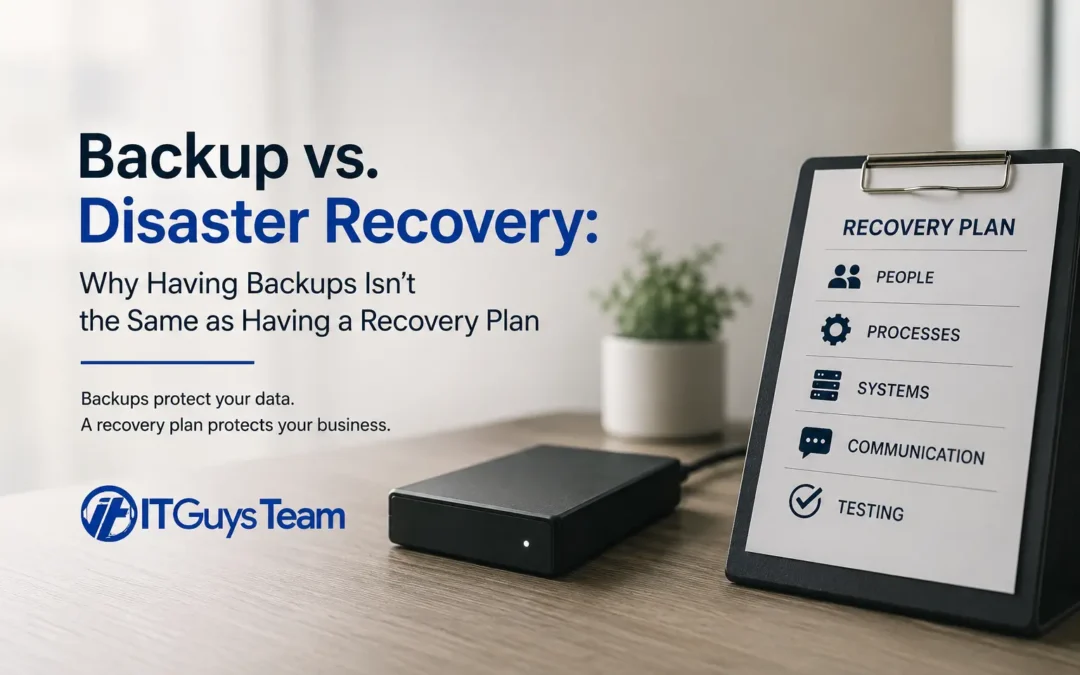
Most business owners assume that if their data is being backed up, they're covered. It feels like a reasonable assumption. The backup job runs every night, a green checkmark shows up in some dashboard, and everyone moves on. Then a server fails, ransomware hits, or a building floods, and the business discovers the hard way that having backup files sitting somewhere is not the same thing as being able to actually get back to work.
This is one of the most common and most expensive misunderstandings we run into with small and mid-sized businesses. Backups protect your data. A disaster recovery plan protects your business. They are related, but they are not interchangeable, and the gap between the two is where a lot of companies get into serious trouble.
Want to see more content like this? Add us as a Preferred Source on Google to see more of our articles when you search.
The Difference in Plain Terms
A backup is a copy of your files, databases, or systems stored somewhere separate from the original. It answers one question: if something is lost or corrupted, do we have another copy of it?
A disaster recovery plan is the process for actually using that backup, along with everything else needed, to get the business functioning again. It answers a much bigger set of questions: How long will it take to get our systems back online? Who is responsible for what during the outage? Can we actually restore from what we have, or has anyone ever tested it? What order do we bring systems back in? What do we tell employees, vendors, and customers while we're down?
A business can have flawless backups and still be down for days, because nobody planned for the restoration process itself, the hardware needed to restore to, or the order operations need to happen in.
Where This Actually Goes Wrong
In our 15 years of supporting businesses through real outages, the pattern is consistent. It's rarely the backup software that fails. It's everything around it.
- Backups exist but have never been test-restored. A backup job that "completes successfully" every night can still be useless in a real recovery if the backup file is corrupted, incomplete, or incompatible with the hardware you'd need to restore to. The only way to know a backup actually works is to restore from it and confirm the result runs correctly.
- Nobody knows the recovery order. Restoring a domain controller before the network is ready, or restoring an application server before its database, can turn a four-hour recovery into a two-day one.
- Recovery time expectations were never set. Leadership assumes systems will be back "quickly." IT assumes leadership understands full restoration can take a day or more depending on data volume and internet speed. Nobody discussed it until the outage was already happening.
- The plan lives in one person's head. If the one employee who knows how the backup system works is unreachable, on vacation, or the person affected by the disaster, the plan effectively doesn't exist.
This is why industry data on cybersecurity breach frequency and cost for small businesses consistently shows recovery costs and downtime, not the initial incident itself, as the largest driver of financial damage.
RTO and RPO: The Two Numbers That Actually Matter
Disaster recovery planning comes down to two core metrics, and most small businesses have never defined either one.
Recovery Time Objective (RTO) is how long your business can tolerate being down before the damage becomes serious. If your RTO for email is four hours, every part of your recovery process for email needs to fit inside that window, from restoring the server to reconnecting user devices.
Recovery Point Objective (RPO) is how much data loss is acceptable, measured in time. An RPO of one hour means you need backups running at least every hour, because anything created or changed since the last backup is at risk of being lost permanently.
These two numbers should be different for different systems. Your accounting database might need a one-hour RPO because transactions happen constantly. A shared drive of reference documents that rarely changes might tolerate a 24-hour RPO just fine. Treating every system with the same backup frequency either wastes money backing up things too often or leaves critical systems dangerously exposed.
The Federal Emergency Management Agency has found that roughly 40 percent of small businesses never reopen following a disaster that affects their primary location, which underscores why these numbers cannot just live in a vague sense of "we'll figure it out."
The 3-2-1 Backup Rule Still Holds Up
Regardless of what backup software or cloud service you use, a solid backup strategy follows a simple structure: keep three total copies of your data, store them on two different types of media, and keep one copy offsite. For most small businesses today, this means a local backup for fast recovery, plus a cloud or offsite copy that survives a fire, theft, flood, or ransomware attack that could otherwise destroy both your live systems and a local backup sitting in the same building.
The Cybersecurity and Infrastructure Security Agency's StopRansomware initiative specifically calls out offline, encrypted backups as one of the most effective defenses against ransomware, since attackers increasingly target connected backup systems in an attempt to encrypt or delete recovery copies before deploying the main attack.
Building an Actual Recovery Plan
A disaster recovery plan doesn't need to be a hundred-page document nobody reads. For most small businesses, an effective plan includes:
- A prioritized list of systems, from most critical to least, so recovery efforts focus on what keeps the business running first
- Defined RTO and RPO targets for each critical system, agreed on by leadership, not just IT
- Named responsibilities, so specific people know they own specific parts of the recovery, with backups in case that person is unavailable
- A communication plan for notifying employees, customers, and vendors if systems are down, including a method that doesn't depend on the systems that are down (email is a poor choice if your email server is what failed)
- A tested restoration process, meaning someone has actually restored data from backup and confirmed the result works, not just that the backup job ran
The Department of Homeland Security's Ready.gov business continuity planning guidance offers a useful framework for building this out, particularly for businesses that have never gone through the exercise of documenting recovery steps before.
Testing Is Not Optional
A backup and recovery plan that has never been tested is a theory, not a plan. Research on business continuity practices has repeatedly found that a majority of organizations do not test their disaster recovery plans on a regular basis, which means most businesses genuinely do not know whether their recovery process would work until they need it in a real crisis.
Testing doesn't need to be a full simulated disaster. At minimum, businesses should:
- Perform an actual test restore of critical data at least twice a year
- Confirm the restored data opens correctly and is current
- Walk through the recovery plan as a tabletop exercise with the team, at least annually, and after any major change to systems, staff, or vendors
- Update the plan any time infrastructure, software, or key personnel change
The Small Business Administration's guidance on disaster recovery for small businesses notes that planning is one of the most effective ways to minimize financial loss when a disruption hits, precisely because it turns a chaotic scramble into a rehearsed process.
Backups Alone Are a False Sense of Security
The businesses that recover quickly from a ransomware attack, hardware failure, or natural disaster are rarely the ones with the fanciest backup software. They're the ones who know exactly what they'd do the moment something goes wrong, because they've already thought it through and tested it, rather than discovering the gaps in real time while customers are calling and revenue is stalled.
If your business has backups running but has never actually tested a full restoration, or if nobody could tell you your current RTO and RPO targets off the top of their head, that's the gap worth closing before it gets tested for you by an actual outage.
Frequently Asked Questions
Is cloud backup the same as disaster recovery?
No. Cloud backup is one component of a disaster recovery plan, but it only covers the data. Disaster recovery also includes the infrastructure, order of operations, responsibilities, and communication needed to actually resume operations.
How often should we test our backups?
At minimum twice a year, and after any significant change to your systems, software, or staff. A test restore should confirm the data actually opens and is current, not just that the backup file exists.
What's a reasonable RTO for a small business?
It depends entirely on the system and how much downtime the business can tolerate financially and operationally. Customer-facing systems and financial systems typically need shorter RTOs than internal reference tools. This should be a leadership decision made in advance, not decided during an outage.
Do we need a written disaster recovery plan if we're a small business?
Yes. Plan complexity should match business size, but even a short, clearly assigned plan dramatically outperforms no plan at all. The businesses that struggle most are the ones with no documented plan and no tested recovery process.
Can our managed IT provider handle disaster recovery planning for us?
This is exactly the kind of planning a Managed IT Provider should be handling as part of ongoing infrastructure management, including setting RTO and RPO targets, running backup systems, and performing regular test restorations.
Recent Comments